iOS · Offline · Doctor-ready PDF

Count every kick.
Know your baby's rhythm.

One-tap kick counting, session history, weekly insights, and a contraction timer — so you can notice changes early and share a clear report with your midwife.
Built for third-trimester peace of mind
10-kick sessions Contraction timer Weekly insights PDF for your doctor
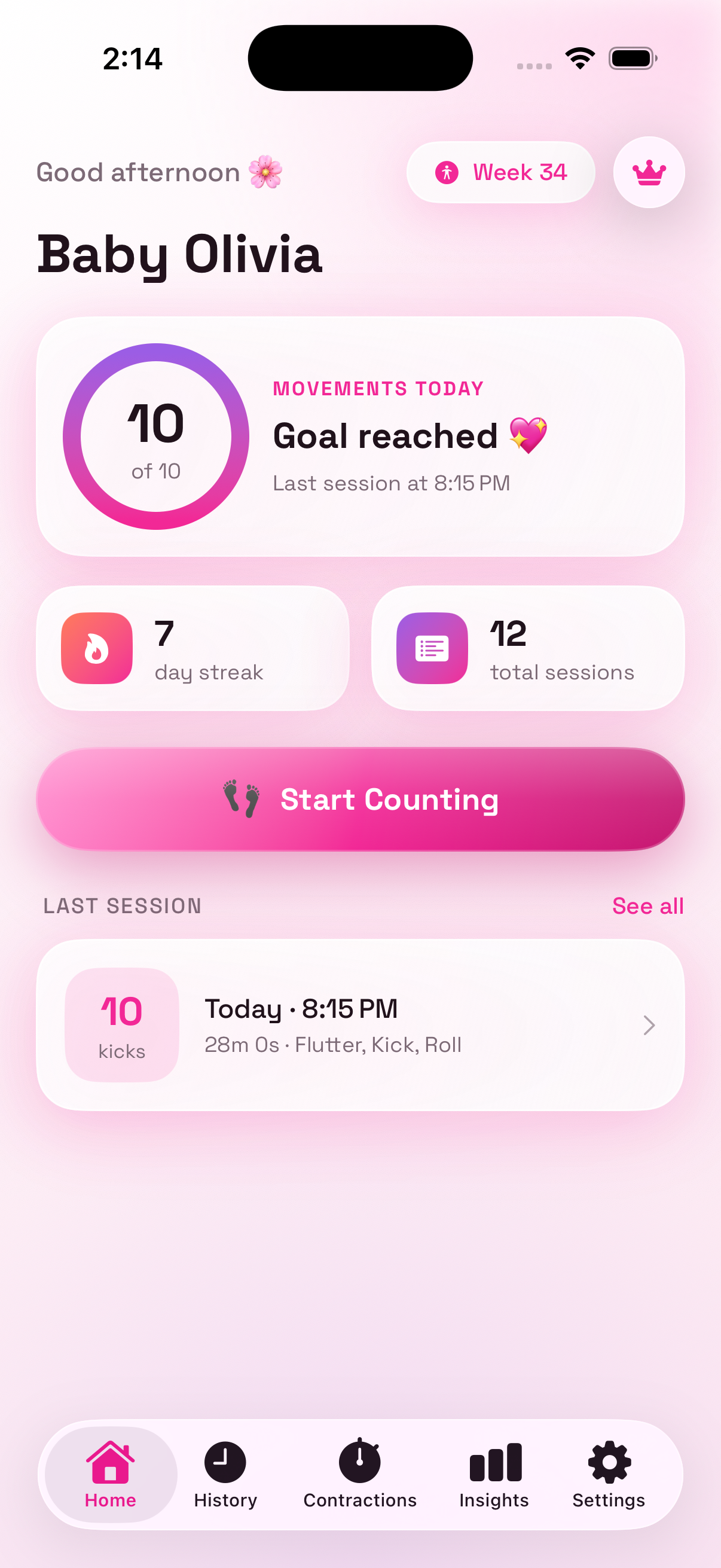
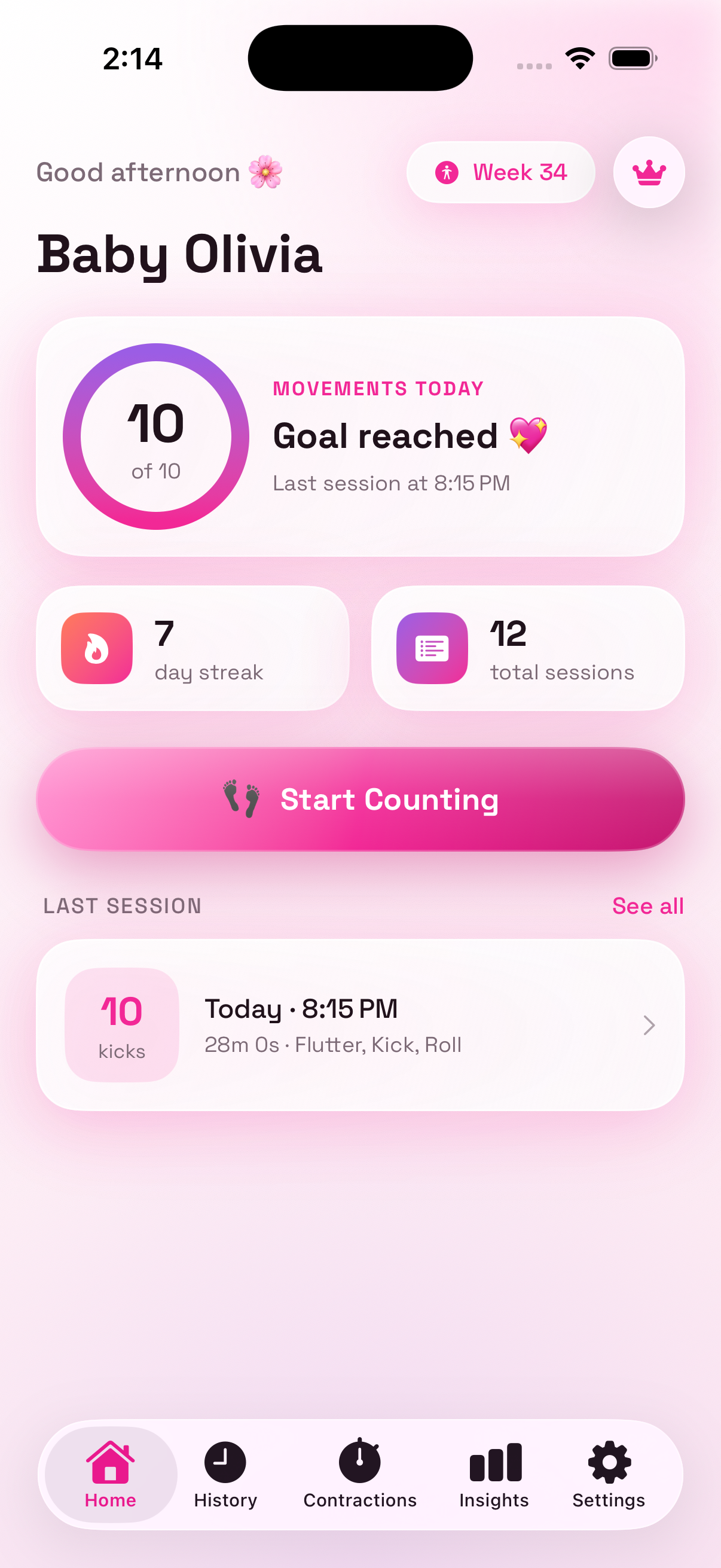
Baby Kick Counter home screen Baby Kick Counter home screen
10
Movements to complete a standard kick session
1 tap
Log each kick, roll, flutter, or hiccup
PDF
Doctor-ready fetal movement report

Everything you need to track baby's moves

A focused kick counter — not a bloated pregnancy planner. Count, spot patterns, time contractions, and share with your care team.

👣

One-tap kick counter

Start a session and tap every time baby moves. Track kicks, rolls, flutters, and hiccups with a live timer and progress ring toward your goal.

📅

History & calendar

Browse past sessions by day, see streaks, and open any session for a full movement timeline — so you can compare today with last week.

📊

Weekly insights

Charts for this week's movements, average and fastest session times, and when baby is most active — morning, afternoon, evening, or night.

⏱️

Contraction timer

Time each contraction, see duration and interval, and get a clear pattern summary — with a 5-1-1 tip when labor may be approaching.

📄

PDF for your doctor

Export a clean fetal movement report with session stats, notes, and movement types — ready to share via Messages, Mail, or AirDrop.

🔒

Private & offline

All kick and contraction data stays on your iPhone. No account required. Works offline whenever you need to count.

How it works

From first kick to a report your midwife can read — in three simple steps.

1

Start counting

Open the app and tap Start Counting. Sit or lie comfortably, then tap the circle every time you feel a kick, roll, flutter, or hiccup. The session completes when you reach your goal (usually 10 movements).

2

See your pattern

Review history, calendar, and weekly insights. Notice whether sessions are getting faster or quieter, and when baby is typically most active — so changes stand out earlier.

3

Share with your midwife

Export a PDF report of your kick sessions, or use the contraction timer when timing labor. Bring clear data to appointments — not just memory.

Not medical advice
Baby Kick Counter helps you log movements and patterns. Always follow your midwife or doctor's guidance — and contact them right away if you notice reduced movement.

Designed for calm, late-pregnancy evenings

Native iOS design with a soft blush palette — large tap targets, clear timers, and screens that feel gentle when you're tired.

Free features that stay useful

Try kick counting right away. Pro unlocks the full history, insights, and PDF export when you're ready.

5 free kick sessions
One-tap counter with movement types
Contraction timer & log
Daily reminders
Due date & pregnancy week
Twin mode (doubled goal)
Works fully offline
Light & dark mode

Start free. Go unlimited with Pro.

Try five sessions on us. Upgrade when you want full history, insights, and doctor PDFs — cancel anytime through Apple.

Free
$0
Perfect to start counting
  • 5 kick sessions
  • Recent history (5 sessions)
  • Contraction timer
  • Daily reminders
Pro · Weekly
$3.99/wk
See price in the App Store
  • Unlimited kick sessions
  • Full history & calendar
  • Insights & weekly graphs
  • PDF export for your doctor

Pricing shown for reference — final price is always confirmed in the App Store. Contraction timer stays free.

Privacy you can trust

We built Baby Kick Counter for expectant parents — not to harvest your data.

On-device storage

Kick sessions, contractions, notes, and profile stay in SwiftData on your iPhone. Nothing is uploaded to our servers.

No account required

No email sign-up. Purchases go through Apple. An anonymous RevenueCat ID handles Pro — not your name or Apple ID.

No ads or trackers

No advertising SDKs. No selling of personal data. Just a focused tool for counting kicks and timing contractions.

Read our Privacy Policy →

Frequently asked questions

An iOS app for counting fetal kicks, reviewing movement history and weekly insights, timing contractions, and exporting PDF reports for your midwife or doctor. It works offline and does not require an account.
Tap Start Counting, then tap once for every movement you feel. You can label moves as Kick, Roll, Flutter, or Hiccup. A session typically completes at 10 movements (20 if you enable twins). Time to goal and a optional note are saved with the session.
Yes. Free includes 5 kick sessions, recent history, the contraction timer, reminders, and pregnancy week tracking. Pro unlocks unlimited sessions, full history & calendar, insights charts, and PDF export.
No. Baby Kick Counter is a logging and pattern tool only. Always follow guidance from your midwife or doctor. If you notice reduced fetal movement or are concerned about contractions, contact your care provider right away.
Subscriptions are managed through Apple. Open Settings on your iPhone → your name → Subscriptions → Baby Kick Counter → Cancel. You can also Restore Purchases in the app's Settings tab. Lifetime is a one-time purchase and does not auto-renew.
Yes. Sessions, contractions, notes, and profile data stay on your device. We do not require an account and do not upload kick logs to our servers.
Yes. Counting, history, contractions, and local reminders work without internet. An internet connection is only needed for purchasing or restoring Pro through the App Store.
Email us at TQTechOfficial@gmail.com or visit our Support page. We typically respond within 1–2 business days.

Ready to start counting kicks?

Download Baby Kick Counter on iPhone and log your first session in under a minute. Free to try — no account needed.